
Serverless Feedback For Your Blog
Easy frontend only implementation for feedback to use on your blog with notification.


[#alert-info]
Update (2025): This blog has since migrated to using getform.io for feedback collection instead of AWS SNS.
While the AWS SNS approach described below worked, it had two significant issues:
1. AWS doesn’t like credentials exposed publicly - Even with very limited IAM permissions, having credentials in frontend code is against AWS best practices and could lead to account security issues.
2. No rate limiting protection - The method provided no way to prevent abuse. Someone could have bombarded the SNS topic and potentially inflated the AWS bill.
Using a dedicated form service like getform.io solves both problems with better security and built-in spam protection. [#/alert-info]
You do what you can with what you have.. but you should always ask for feedback! With this super easy serverless implementation, there are not more excuses. In this post I will show you how you can get feedback from your readers with just a bit of JavaScript.
Overview
The solution we will implement relies on AWS SNS mechanism. This mechanism allows you to define topics and register to them - which means you will get notifications when an item is posted to the topic.
Setting up SNS notification on AWS
This step is pretty straight forward.
- Go to SNS
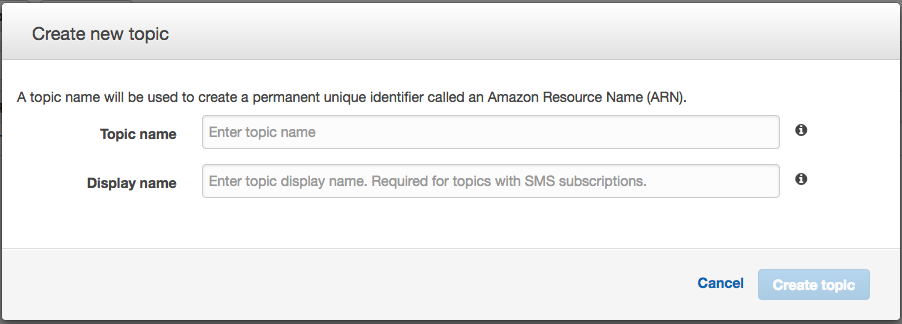
- Create new topic
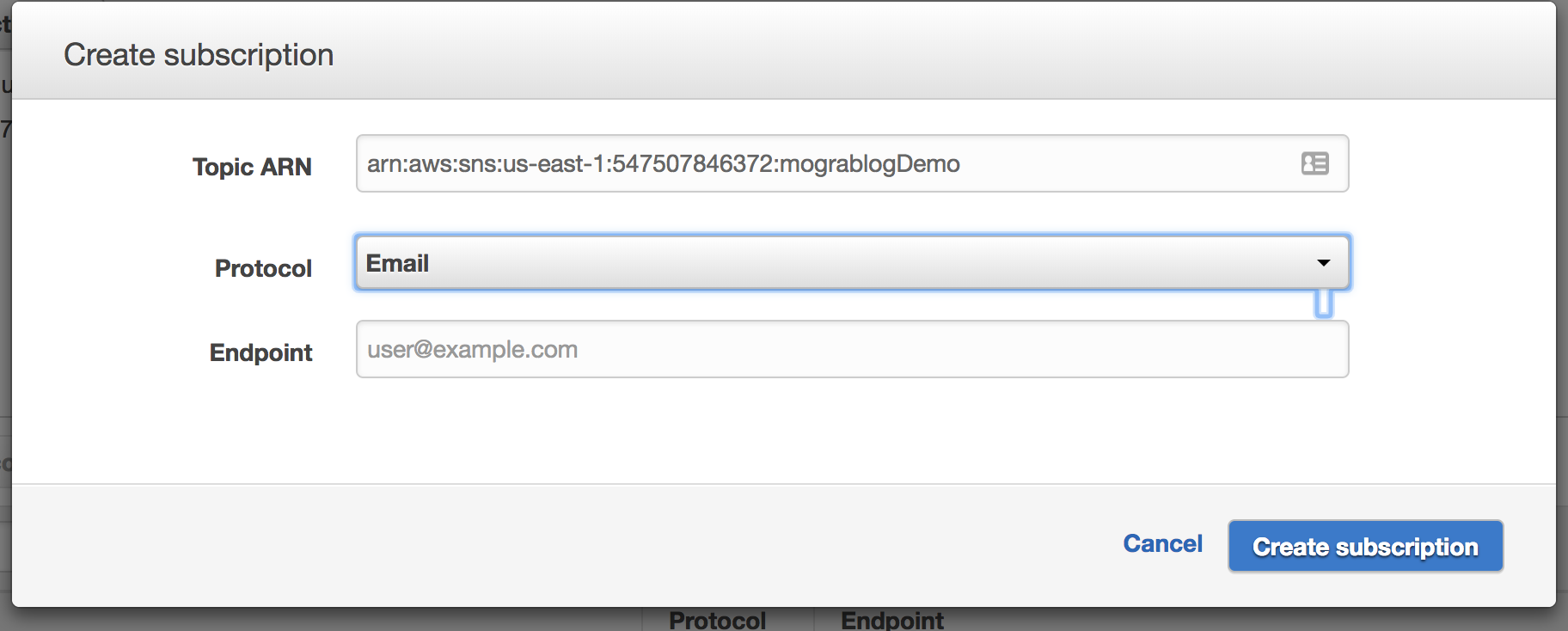
- Create subscription to topic to get notified when new message is received.
- Confirm subscription
- Publish event for final testing
Create a user with single permission to publish a topic on that specific SNS topic
AWS will require authentication to publish to that topic. Luckily you can define permission to a user to do just that!
- Create a new IAM user with programmatic access
- Either assign permissions directly, or create a group with permissions.
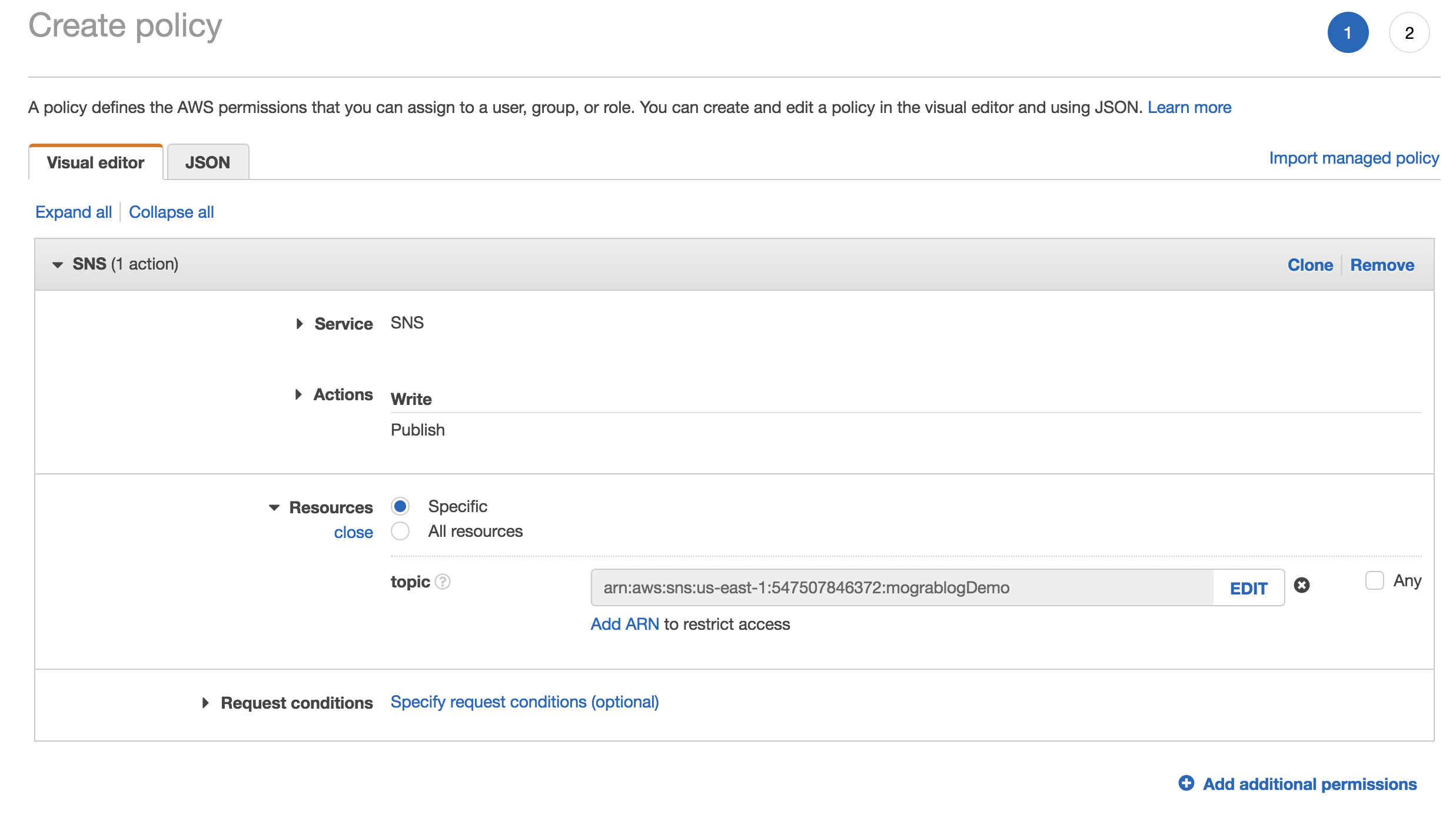
- Create a new policy.
- Select service SNS
- Use action
publish - Use the ARN from the topic
- Keep the api credentials for this new user
Since this user is only allowed to publish items for this specific SNS topic, there’s no security issue exposing it in the frontend.
If you are still doubtful - you can always write a AWS Lambda and expose it with AWS API Gateway. This will give you similar results just without the credentials.
Write frontend JS to publish the feedback
Now it’s time to actually send the feedback. I assume in this post you can write a simple form that will collect feedback input from the user and trigger a function. So I will allow myself to focus on the publish side only.
For implementation I will use AWS SDK library found at: https://sdk.amazonaws.com/js/aws-sdk-2.1.12.min.js
var sns = new AWS.SNS({ accessKeyId: __your_access_key_id__, secretAccessKey: __your_secret_access_key__, region: __your_region__ });

function publish (info) {
  sns.publish({
    Message: 'some feedback you collected from user',
    Subject: 'Feedback from my blog',
    TopicArn: __arn_for_your_topic__
  }, function(err, data) {
    if (err) {
      console.log(err, err.stack); // an error occurred
    }
    else {
      console.log(data);           // successful response
    }
  });
}
And that’s it!
Summary
- In this post we allowed the readers to give quick anonymous feedback that will improve the blog.
- We have seen an easy and secured way to get notifications from your blog readers.
- We combined AWS SNS and AWS IAM with some JS on our side to easy collect and send feedback.
- We defined very limited permissions to the user that should allow us to feel comfortable to use in the frontend.
- The cost was insignificant.
Write comments below if you’ve used this technique and what you did with it.